


Picture this. A potential customer finds your restaurant on Google, clicks through to your website, and sees a perfectly lit latte on a marble surface. It looks professional. It looks polished. The only problem is that it has nothing to do with your actual cafe, your actual drinks, or the real reason people should choose you over the place down the street. They feel it even if they can’t explain it, and they leave.
This post is part of a series expanding on the Small Business Website Checklist: 9 Things Your Site Needs to Get Clients. Point four on that list is real photos instead of stock images, and today, we are going deep on exactly why that distinction matters and what to do about it. We will fully cover the stock photos vs real photos debate, look at real-world examples, and give you a practical plan for replacing stock images, even if you have never hired a photographer in your life.
What Are Stock Photos and Why Do Small Business Websites Use Them?
Stock photos are professionally taken images that are licensed for broad use across thousands of different websites, marketing materials, and publications. They are taken by photographers specifically to be generic enough to apply to any business in any location. You find them on sites like Unsplash, Shutterstock, and Adobe Stock, and they cover everything from smiling people shaking hands in office settings to perfectly lit products on white backgrounds to aerial views of city skylines.

Most small business owners turn to stock photos for one simple reason, and that reason is convenience. When you are building your website on a tight timeline and a tight budget, grabbing a few polished, professional images feels like a practical solution. The intention is always to replace them later with real photos once the business grows. But later has a way of never arriving, and in the meantime, those stock images are quietly working against you in ways most business owners never stop to consider.
Why You Shouldn’t Use Stock Photos on Your Website
People are remarkably good at detecting inauthenticity even when they cannot articulate exactly what feels off. Research consistently shows that website visitors form a first impression within seconds of landing on a page, and images are processed significantly faster than text. This means your photos are making an argument about your business before your words ever get a chance to.
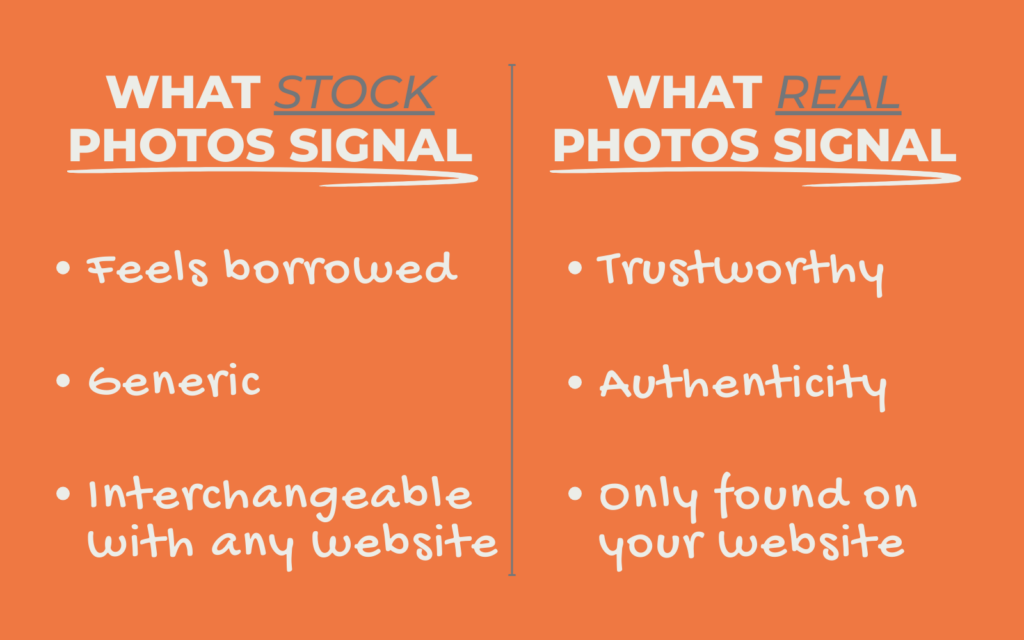
When a visitor sees a stock photo on your website, something registers. They may not consciously think that it is a stock image, but the feeling it creates is one of distance and disconnection. The image doesn’t feel like it belongs to your specific business. It feels borrowed. Generic. Interchangeable with every other website in your industry using the same image from the same library.
That feeling directly undermines trust. And trust is the single most important thing your website needs to build with a cold visitor who has never heard of you before. A potential client who doesn’t trust what they see on your website will not fill out your contact form, will not click your call to action, and will not book a consultation. They will leave and find someone whose website feels more real.
Real photos do the opposite. A genuine image of your actual space, your actual product, or your actual face tells a visitor that there is a real person behind this business who is proud enough of what they do to show it. That authenticity creates connection, and connection is what converts a visitor into a client.
Stock Photos vs Real Photos: The Good, The Bad, and The Fix
Let’s look at how this plays out in practice using restaurants and cafes as the example. Food and hospitality are two of the most visually driven industries in the world, which makes the gap between stock imagery and real photography immediately obvious and easy to feel.
Stock Photos vs Real Photos Example # 1
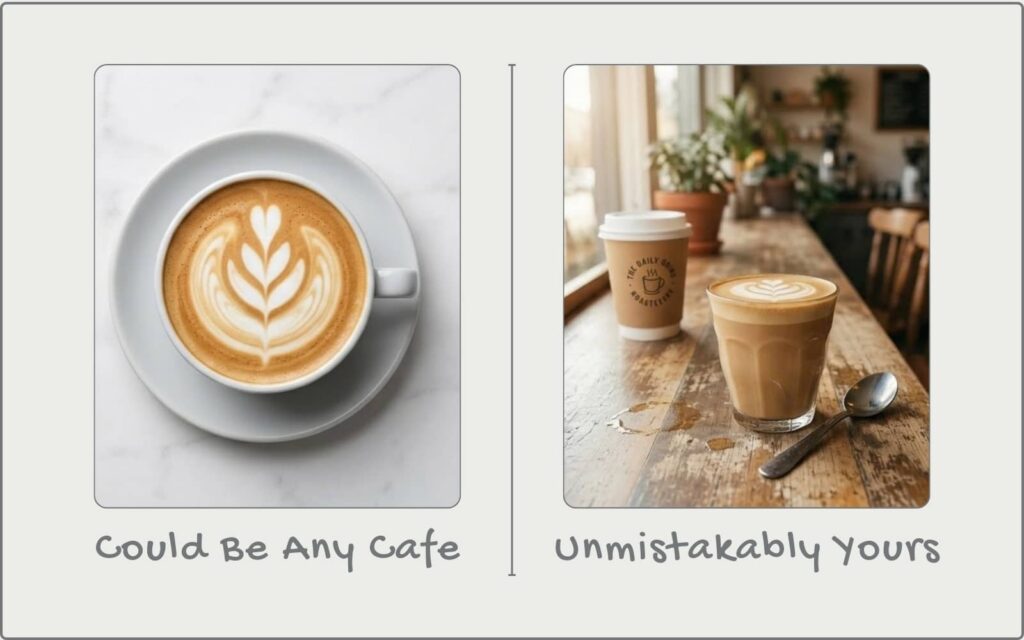
Stock Photo: A cafe website using a stock photo of a perfectly lit latte with geometric foam art on a marble surface. The image is beautiful, but it was taken in a studio somewhere with no connection to this specific cafe, its actual drinks, or its actual atmosphere.
- A potential customer looking for a local cafe to visit sees this image and feels nothing in particular.
- It could be any cafe anywhere.
- It gives them no reason to choose this one over the next result in Google.
- The image is doing nothing to communicate what makes this place worth visiting.
Real Photo: A real photo of the cafe’s actual signature latte, taken on the counter where it’s made every morning, with the cafe’s own cups, their own light, and their own atmosphere visible in the background.
- It doesn’t need to be perfect. It needs to be real.
- That single authentic image communicates more about the cafe’s personality and environment than a hundred stock photos ever could.
Stock Photos vs Real Photos Example # 2

Stock Photo: A restaurant website using a stock photo of a generic smiling couple sitting at a restaurant table. The image is meant to convey a welcoming atmosphere, but the couple, the table, the decor, and the lighting have no connection to the actual restaurant. Any visitor who has ever used the internet recognizes this image for exactly what it is.
- When visitors see obviously staged stock images of people on a local business website, it immediately raises a question they may not consciously voice but will feel.
- If they can’t show me their real space and real customers, what are they hiding?
- That question is not one you want a potential diner asking before they decide whether to make a reservation.
Real Photo: A candid real photo of actual guests enjoying a meal at the restaurant, or even just the empty restaurant itself, showing the real tables, real lighting, and real atmosphere.
- Authenticity beats perfection every single time in hospitality because people are choosing an experience, not just a meal, and they want to know what that experience actually looks like.
Stock Photos vs Real Photos Example #3

Stock Photo: A cafe using a stock photo of a generic overhead flatlay of coffee, a croissant, a notebook, and a succulent on a white surface. This image appears on thousands of cafe and coffee brand websites simultaneously. A visitor who has spent any time on the internet has seen this exact composition before, possibly on a competitor’s website last week.
- When your images are interchangeable with your competitors, your brand becomes interchangeable with your competitors.
- You lose the one thing that makes a local business worth choosing over the next one down the street, which is its unique personality and character.
Real Photo: A real overhead photo of the cafe’s actual best-selling breakfast combination, shot on their actual counter or table, with their actual branding visible in the frame.
- Imperfection and real will outperform perfection and generality every single time because it gives the visitor something no other cafe’s website can show them.
How to Take Photos for a Website Without Hiring a Photographer
Knowing how to take photos for a website doesn’t require professional equipment or a big budget. A modern smartphone camera is genuinely capable of producing website-quality images when used with a few basic principles in mind.
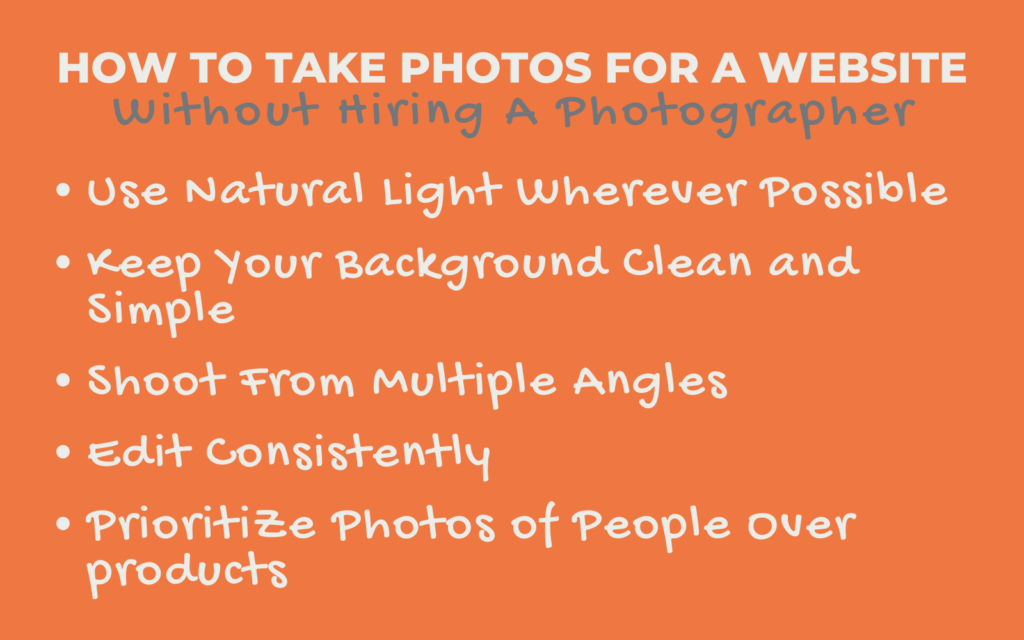
Use Natural Light Wherever Possible
Natural light is your most powerful tool, and it costs nothing. Position your subject near a window, shoot during the day, and avoid using your phone’s flash, which creates flat, harsh lighting that makes everything look cheaper than it is. Overcast days are actually ideal for food and product photography because the light is soft and even with no harsh shadows.
Keep Your Background Clean and Simple
A cluttered background competes with your subject and makes images feel amateur. Before you take a single photo, remove anything from the frame that doesn’t belong there. A clean surface, a plain wall, or a naturally blurred background created by getting close to your subject all work well for website imagery.
Shoot From Multiple Angles
Take far more photos than you think you need and from more angles than you feel necessary. Overhead shots, eye-level shots, and close-up detail shots of the same subject give you variety for different areas of your website. You can always delete the ones that don’t work, but you cannot go back and reshoot without setting everything up again.
Edit Consistently
Free apps like Lightroom Mobile let you apply the same basic adjustments across all your photos so they feel cohesive and on brand when placed together on your website. Consistent brightness, contrast, and colour temperature across all your images makes even phone photography look intentional and professional. This is one of the most underrated photography website tips for small business owners working without a photographer.
Prioritize Photos of People Over Products
If you can only take one type of real photo, make it a genuine image of yourself or your team. People connect with people before they connect with products or spaces. A real photo of the actual human behind the business is the single most trust-building image you can put on your website.
Common Stock Photo Mistakes to Avoid
Even business owners who understand the value of real photos make these mistakes when transitioning away from stock imagery.
Mixing Stock and Real Photos Inconsistently
Having real photos on your homepage but stock photos on your about page or services page creates a jarring inconsistency that undermines the authenticity you are trying to build. Real and stock images have noticeably different qualities of light, colour, and composition that clash visually when placed near each other. Commit fully to real photos across every page, or the effect is lost.
Using Stock Photos of People Who Don’t Represent Your Business
Generic stock images of smiling professionals, diverse teams in modern offices, or happy customers that have no connection to your actual business or clientele create a disconnect between your visual identity and your reality. When a client meets you in person or visits your location, and it looks nothing like your website, trust erodes immediately.
Using the Same Stock Images Your Competitors Are Using
Stock photo libraries are finite, and popular images get used by hundreds of businesses in the same industry. A quick Google reverse image search on any stock photo you are considering will often reveal exactly how many other websites are already using it. If your competitor three streets away has the same hero image as you, you have already lost a key point of differentiation.
Uploading Real Photos at the Wrong File Size
Real photos taken on a modern smartphone are high-resolution files that can be several megabytes in size. Uploading them directly to your website without resizing or compressing them first will slow your page load speed significantly, which hurts both your visitor experience and your Google ranking. Always compress your images before uploading using a free tool like Compressor.io or TinyPNG.
Closing Thoughts on Stock Photos vs Real Photos
The shift from stock photos to real photos is one of the highest impact changes you can make to your website and one of the lowest costs. You do not need to hire a professional photographer to get started. You need an hour, good natural light, and your phone.
Every stock image on your website is a missed opportunity to show a potential client something real, specific, and uniquely yours. The businesses that win online are rarely the ones with the biggest budgets or the fanciest websites. They are the ones whose websites feel the most honest and the most human.
Here Are Three Simple Steps to Start Today:
Step 1: Audit every image on your website. Go through your website page by page and identify every stock image currently in use. Make a list. Knowing exactly what needs to be replaced is the first step toward replacing it systematically rather than randomly.
Step 2: Take five real photos this week. You do not need to replace everything at once. Start with five genuine images of your business, your product, your space, or yourself using the tips in this post. Replace the five most prominent stock images on your site with those five real ones and notice the difference immediately.
Step 3: Create a simple shot list for the future. Write down ten images your website needs that you do not currently have as real photos. Treat it as an ongoing project rather than a one-time task. Every week, replace one more stock image with a real one until your website is entirely your own.
Replacing your stock photos will not happen overnight, but every real image you add makes your website a more accurate, more trustworthy, and more compelling representation of the business you have actually built.


